


Monster Math 2: Fun Kids Games
4.2423.00 Reviews
App Specs
- Version
- 1402
- Updated On
- License
- Free
- Downloads
- 500,000+
- Developer
- Makkajai: Math Games for 1st, 2nd, 3rd, 4th grade
- Categories
- Educational
- Platform
- Android
Screenshots

 Analysis by AppCompare
If you’re looking for a way to make learning math feel more like playtime than homework, then Monster Math 2: Fun Kids Games might just be the perfect app for you and your little ones. I downloaded this app with the hope of finding something that could entertain and educate simultaneously, and I was pleasantly surprised by how well it achieved that balance.
Who benefits most from its early goals
The game’s rescue setup gives children a clear reason to keep tackling sums: help Maxx find his friends, one challenge at a time. That kind of immediate, understandable goal can be especially useful for a child who loses interest when practice feels like a worksheet without an endpoint. I’d use it for short sessions after school or while waiting somewhere, rather than presenting it as a replacement for a whole lesson.
Monster Math 2 is an educational game from Makkajai: Math Games for 1st, 2nd, 3rd, 4th grade, aimed at math practice from kindergarten through grade five. It is free to start, with optional in-app purchases priced from $0.99 to $59.99 per item. Its Everyone age rating makes it suitable for a broad family audience, though I’d still preview any game before handing a device to a younger child. The game has a 4.2 average from around 3,700 ratings, and has passed 500,000 installs.
Engaging Gameplay with Educational Value
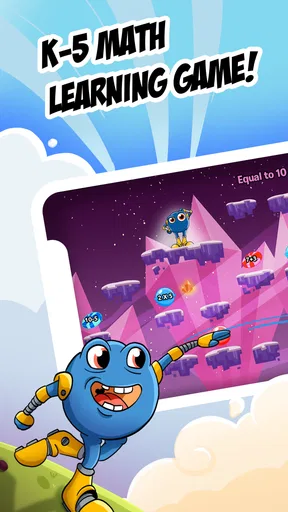
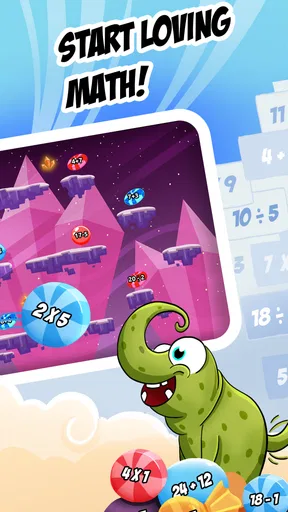
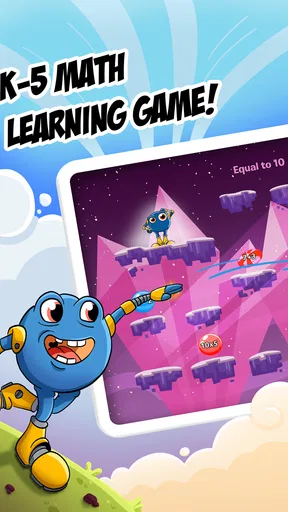
One of the first things I noticed about Monster Math 2 is how it immediately draws kids in with its vibrant graphics and lively characters. The monsters in the game aren’t just cute—they’re endearing guides that lead kids through a series of adventures, each packed with math challenges. The storyline is simple but effective: kids help Maxx, the friendly monster, rescue his friends by solving math problems.
That story provides a helpful frame, but the useful learning decision is matching the activity to the child. A kindergartener who is just getting comfortable with basic number work needs a different starting point from a fifth grader practicing multiplication. The game covers addition and subtraction as well as multiplication and division, and its grade-school range makes it worth considering for families with children at different points in elementary math. I would still check that the selected work fits the child’s current classwork rather than assuming the grade label alone guarantees the right level.
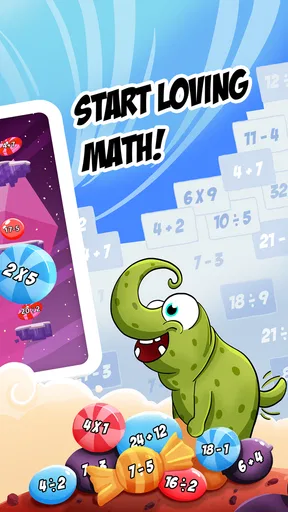
What’s cool is how the game adapts to the player's skill level. It ensures that kids are neither bored with too-easy tasks nor overwhelmed by complex problems. There’s a variety of math skills covered, from addition and subtraction to multiplication and division. It’s like having a math tutor that’s always available and never loses patience!
Choosing practice that fits the moment
For parents, the option to choose particular skills can make a short session more purposeful. If a child is learning multiplication facts at school, I’d focus a session there instead of switching among every topic just because it is available. Conversely, if the child is tired or frustrated, a familiar, easier area can be a better way to end on a confident note. The practical benefit is not simply having many topics; it is being able to make the game serve the child’s immediate learning need.
Worth Reading Before You Choose

EA SPORTS FC Mobile 26 Is a Bigger Football Game, but It Takes Time

Flipboard Shows What News Apps Must Do Beyond the Feed

Switching to Android Auto Means Rethinking Your Driving Routine

Google Calendar Makes a Crowded Week Easier to Manage

Ludo King Makes the Most of the Minutes Between Plans

Baby Panda World Brings Quick Play to Modern Phones, but Its Game Library Feels Busy
This is also where the game differs from a basic flashcard app. Flashcards can be faster when an adult wants to drill one fact repeatedly, and a textbook or worksheet is better for showing written methods step by step. Monster Math puts practice inside an adventure, which can help a child who needs a playful prompt to begin. I see it as a companion to schoolwork, not a substitute for explanations, discussion, or practice on paper.
Interactive and Customizable Experience
The app doesn’t just throw problems at kids and hope for the best. It’s interactive in the best possible way. Kids get immediate feedback on their answers, which helps reinforce learning. Plus, there’s a multiplayer mode! This means kids can play against their friends or siblings, making math a social activity rather than a solitary chore.
Multiplayer is most useful when both children can enjoy the same activity without turning every answer into a contest. I’d treat it as an occasional way to make practice social, especially for siblings who like taking turns, rather than as the main route for a child who feels anxious about speed or comparison. When confidence is the priority, a solo round with a parent nearby may be a gentler choice.
Parents can customize the experience, too. The app lets you adjust difficulty settings and choose specific math skills for your child to work on. This customization is a brilliant feature because it means the app can grow with your child’s abilities.
Reading progress without making it a test
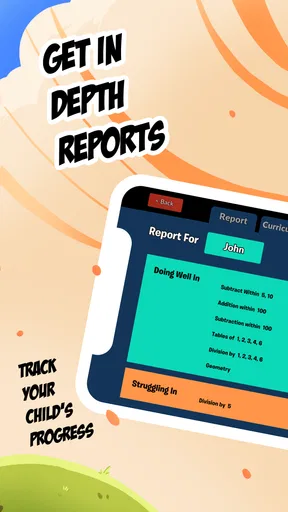
The progress report can help an adult spot which areas deserve another look, but I would use it as a conversation starter rather than a verdict on ability. If a child is stumbling on one topic, that could mean the skill needs more practice, or simply that the session happened at a poor time. A useful routine is to look for a recurring difficulty, then do a little real-world practice—sharing snacks, counting objects, or talking through a simple calculation—before returning to the game.
That approach answers a common practical question: can the game help a parent know what to work on next? It can offer a view of progress and areas that may need attention, while the adult still decides how to respond. I would not rely on a game report alone to diagnose a learning gap; it is more useful as one signal alongside homework, classroom feedback, and what the child says feels hard.
Motivational Elements and Rewards
Another aspect that I found particularly impressive was the reward system. As kids progress, they earn rewards and unlock new levels, which keeps them motivated. The app smartly incorporates a sense of achievement that kids crave. It’s quite satisfying to see them smile as they earn a new monster companion or a shiny badge for their efforts.
Rewards can help a child start a session, but I’d pay attention to what happens when the novelty wears off. The strongest outcome is when the child begins to enjoy solving the problems themselves, not only reaching the next unlock. A simple boundary helps: agree on a short play period before opening the app, then stop at a natural break instead of letting the prospect of another reward stretch practice indefinitely.
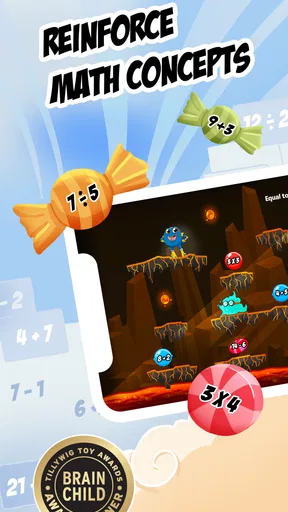
The game also includes fun mini-games that serve as a break from the math challenges but still incorporate learning elements. It’s a neat way to keep kids engaged without them realizing they’re still working on math skills.
How the challenge and pacing hold up
The combination of math rounds, rewards, and mini-games gives children more than one reason to stay with a session. At the same time, a parent should watch whether a child is actually working through the questions or rushing just to reach the next activity. If answers become hurried, I’d pause and ask the child to explain one of them aloud. That small change turns a quick tap into a chance to check understanding.
For everyday use, I can imagine opening the game after dinner when a child has a few spare minutes and wants a screen activity before getting ready for bed. A parent can choose a skill the child has been practicing, let the child play a short round, and then ask which question felt easiest or hardest. That keeps the app connected to learning without turning family time into a formal lesson. If the child is already worn out, though, a calm story or a no-screen break may be a better choice than trying to make one more round productive.
Easy Navigation and User-Friendly Design
Even though the app is targeted at kids, the design is intuitive enough that they can navigate through it without much help. The menus are straightforward, and the touch controls are responsive and easy to understand. This means kids can focus on learning and playing rather than figuring out how the app works.
The first few sessions are still worth doing together. A parent can help select a suitable skill, notice whether the child understands the game’s feedback, and set a sensible stopping point. After that, a child who is comfortable with the controls may be able to manage more independently. That gradual handoff is a better fit than assuming every young player will know which activity to choose or when to take a break.
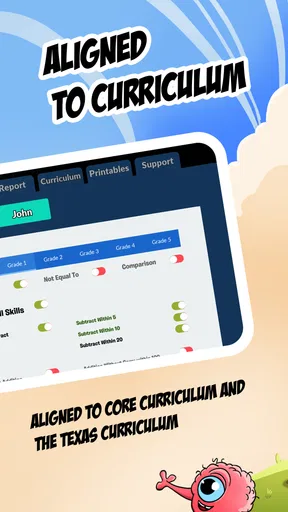
For parents, there’s also a handy progress report section. This lets you track your child’s progress and see which areas they might need a little extra help with. It’s a fantastic way to stay involved in your child's learning journey without being intrusive.
Practical trade-offs before you install
The free entry point is convenient for trying the game, but optional purchases are part of the experience, so I’d check the purchase controls on the device before a child plays independently. The listed item prices range from $0.99 to $59.99, a broad span that makes it sensible to decide in advance whether you want to spend anything. A free download should not be mistaken for a promise that every available part is included at no cost.
The game was released on July 13, 2016, and its current version is 1402; it requires operating system version 8.0 or later. Those details are useful when checking an older device, but the device should still be checked against the app store’s current compatibility information before downloading. There are 423 written reviews, alongside the much larger pool of ratings, so I’d read recent feedback if a specific device or purchase question matters to your family.
Compared with a plain math drill, this game makes practice more story-led and playful. Compared with a full teaching program, it is less suited to a child who needs a careful explanation of a new concept before attempting questions. I would skip it as a main learning tool if your child dislikes game rewards, gets stressed by timed or competitive play, or needs detailed instruction that a parent or teacher can provide more effectively. For those children, paper activities, a patient one-to-one explanation, or a quieter practice app may be a better fit.
Final Thoughts
In a world where screen time is often viewed as the enemy of education, Monster Math 2: Fun Kids Games shows that apps can be a positive force when it comes to learning. It combines fun gameplay with solid educational principles, making it a valuable tool for parents and an enjoyable experience for kids.
Whether you’re a parent looking to supplement your child’s math education or a teacher seeking engaging tools for the classroom, this app is worth checking out. It’s not just about solving math problems; it’s about building confidence and fostering a love for learning. And who knows? Your child might just become the next math wizard in the family!
My progression verdict
I’d recommend it most to elementary-age children who benefit from a clear adventure goal, quick feedback, and a playful reason to return to math practice. Its adjustable skills and difficulty make it more flexible than a one-topic drill, while its story and rewards make it less austere than a worksheet. The trade-off is that parents should steer the choice of activity, keep purchases in mind, and watch for whether rewards are supporting practice or distracting from it.
For my money, its best role is a short, repeatable supplement: choose a relevant skill, let the child work through a manageable session, and use the progress report or a conversation afterward to decide what to revisit. It won’t suit every learner, and it cannot replace a teacher’s explanation, but for a child who welcomes math wrapped in a monster adventure, it offers a practical way to make practice easier to start and more enjoyable to stick with.
Pros
- Engaging math games for kids.
- Adaptive difficulty levels.
- Colorful and fun graphics.
- Encourages critical thinking.
- No third-party ads.
Cons
- Limited free content.
- Requires in-app purchases.
- Needs internet for some features.
- May not suit older kids.
- Occasional bugs reported.
FAQs for Monster Math 2: Fun Kids Games
What age group is Monster Math 2 suitable for?
Monster Math 2 is designed for children aged 6 to 11. The app tailors its math challenges to fit the learning pace of kids within this age range, offering a fun and engaging way to enhance their math skills. The content is both educational and entertaining, ensuring a balanced approach to learning.
Is Monster Math 2 available on both Android and iOS devices?
Yes, Monster Math 2 is available for download on both Android and iOS platforms. Users can easily find it on the Google Play Store for Android devices and the Apple App Store for iOS devices, ensuring accessibility for a wide range of users.
Does Monster Math 2 require an internet connection to play?
Monster Math 2 can be played without an internet connection. This makes it ideal for use in various settings, such as during travel or in locations with limited connectivity. However, an internet connection may be required for initial setup or updates.
Are there any in-app purchases in Monster Math 2?
Yes, Monster Math 2 offers in-app purchases. These purchases can enhance the gaming experience by providing additional features or content. Parents should be aware of these options and can manage in-app purchases through device settings to prevent unauthorized transactions.
How does Monster Math 2 support learning and development?
Monster Math 2 supports learning by offering adaptive math challenges that align with school curriculums. The app uses engaging game mechanics to motivate children, while tracking their progress to help identify areas that need improvement. This approach ensures that kids develop their math skills effectively.


